Suno Spotlight
Suno Studio update: auto-stretch, pitch in cents and reorganised panels
The 29 October release notes bring automatic matching to the project tempo, fine pitch adjustment and a new layout for clip settings to Suno's web DAW. Available to Premier subscribers only.
Suno continues to bring its Studio, the audio workstation that runs in the browser, closer to the basic functions of a traditional DAW. With the release notes of 29 October 2026, titled "Suno Studio Updates, Shaped by your Feedback", the company introduces auto-stretch for imported audio, pitch adjustment in semitones and cents, and a reorganisation of the clip panels. On the same day the help centre updated or published six related articles, under the Studio 2.0 section.
What changes for clip editing
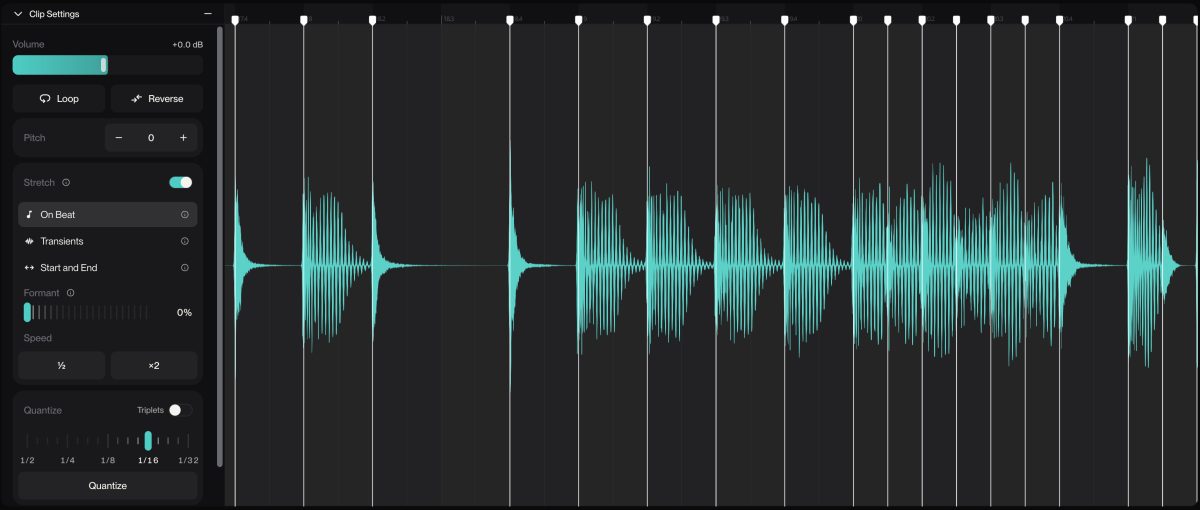
The most significant feature concerns material that does not originate in Studio. A new setting determines whether audio added from your library or uploaded from a file is automatically matched to the project tempo via time-stretch, meaning it is lengthened or shortened without changing its pitch. According to the support article, material without a regular beat, such as ambient textures, free-tempo vocals and speech, is excluded, as are stems uploaded together, which keep their sync with each other; clips generated in Studio are not affected.
The pitch field now accepts values in semitones.cents format: "2.38" means two semitones and 38 cents, where a cent is one hundredth of a semitone. This is the granularity needed to tune a sample to an instrument or to a recording slightly off standard concert pitch. Clip settings (volume, pitch, loop, reverse, time-stretch) now open with a double-click in a sidebar next to the waveform, while a Clip Info panel brings together lyrics, style tags and stem separation. The update also adds the ability to hide tracks (Shift+H; to show them again, Shift+Alt+H on Windows and Shift+Option+H on Mac) and grid density and contrast controls, accessible by right-clicking the ruler.
A steady pace of incremental updates
These are workflow refinements rather than new generative capabilities, and they arrive three weeks after a similar round: the 8 October update had improved detection of the first downbeat and introduced manual clip stretching with Shift and drag, exponential and logarithmic fade curves, and detachable windows for synths and plug-ins. Studio 2.0, launched on 13 August, had brought MIDI, automation, a wavetable synth and a chat for natural-language commands.
According to the help centre, Studio is included only in the Premier plan, runs in the browser (Chrome recommended) on screens at least 768 pixels wide, is not available on mobile and does not support VST or Audio Unit plug-ins. The release notes do not specify a version number or any differences between plans. For those already using Studio, the features are active with no installation needed; for everyone else, the limitation remains the same: a closed environment that does not work with third-party plug-ins.